FREE TEMPLATE
Free Project Lessons Learned Template (With Example)
Free project lessons learned template with a real example. Record what went well, what went wrong and what to change, assign owners, and review it with your team.
- Free, no sign-up
- Use ChatGPT, Claude or your own AI
- Up to 10 people
Try the example
Interactive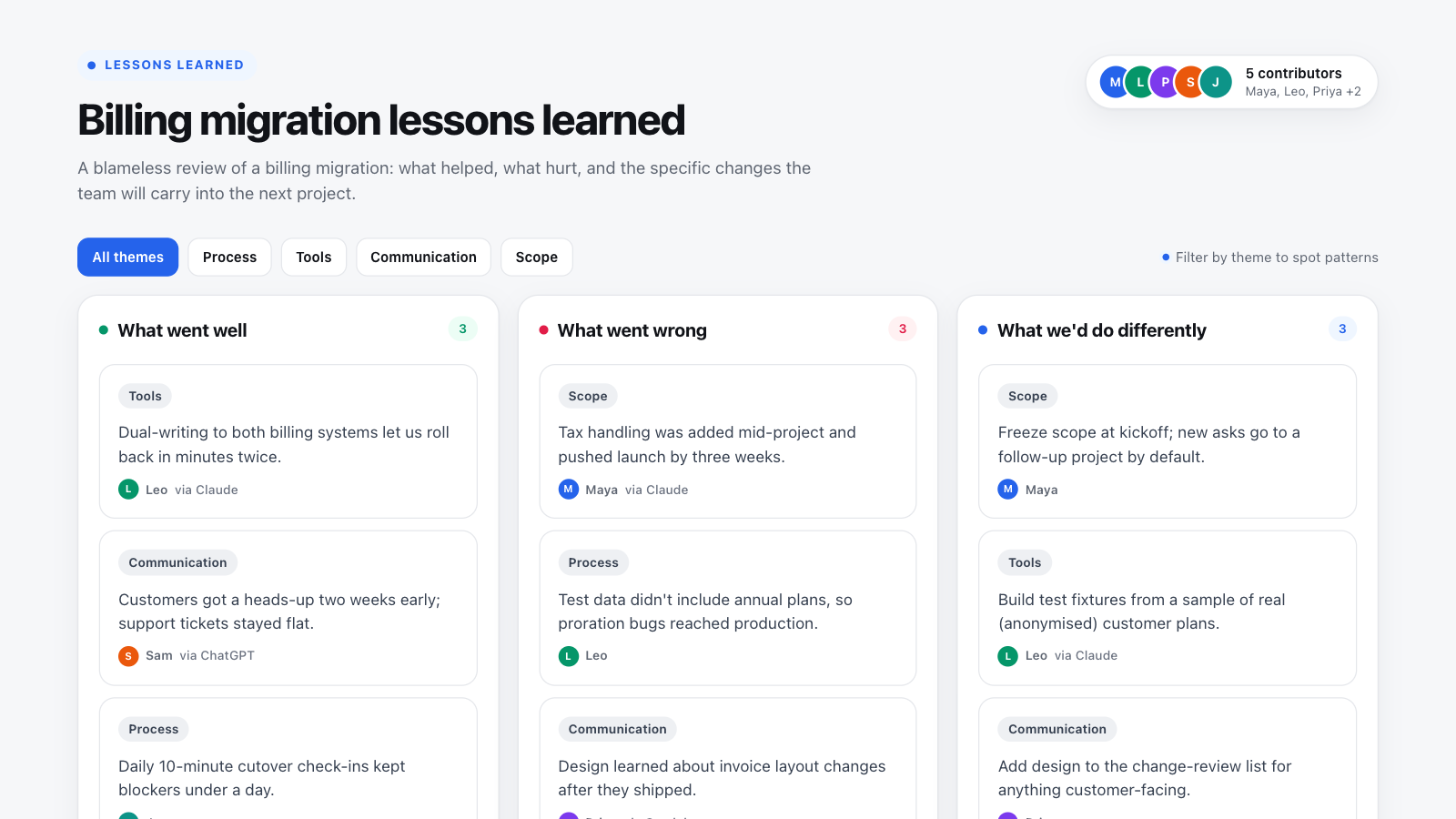
How to use this template in Boardblend
Open it as a live board
One click opens a ready-made board with every section laid out and empty. No account needed.
Connect your AI
Each person connects their own assistant to research and draft privately.
Decide together
Invite up to 10 people, agree the final version, then export it as a PDF or PNG.
A lessons learned review turns what a team experienced on a project into changes it will actually make next time. Without one, the same problems—late scope changes, missing test data, surprised stakeholders—repeat on every project.
The example above is a real-world style review of a billing migration. Use the theme filters at the top of the board to see how lessons cluster: three of the nine items, for example, point to communication gaps.
What's in the lessons learned template
- What went well – practices worth repeating, with specifics ("dual-writing let us roll back in minutes").
- What went wrong – problems and their effect, described without blame.
- What we'd do differently – the lesson, phrased as a change in behavior.
- Themes – tags such as Process, Tools, Communication and Scope that reveal patterns across items.
- Actions – a short table of changes, each with one owner and a date.
The actions table is the part most templates skip and the part that matters most. A lesson without an owner is just a memory.
How to run a lessons learned session
- Collect input independently (before the meeting). Ask each person to add three to five items per column. Working alone first produces more honest and varied input than a group discussion. In Boardblend each person can ask their own AI to summarize their notes, commit history or support tickets into clear items.
- Read everything silently (10 minutes). Give the team time to read before anyone speaks.
- Tag and group (10 minutes). Apply themes and merge duplicates. Use the filters to look for the theme with the most "hard" items.
- Discuss causes (20 minutes). Pick the two or three most important problems and ask why they happened. For a deeper dig, use the 5 whys template or a fishbone diagram.
- Agree actions (15 minutes). Turn each lesson into a specific change with an owner. Limit it to three; teams rarely complete more.
Writing useful lessons
| Weak lesson | Useful lesson |
|---|---|
| Communication could be better | Add design to the review list for customer-facing changes |
| Testing was insufficient | Build test fixtures from anonymised real customer plans |
| Scope creep happened | Freeze scope at kickoff; new asks go to a follow-up project |
A useful lesson names a behavior someone can start doing on the next project.
Lessons learned log: fields to track
Many project teams keep a running lessons learned log (or register) instead of waiting for the close-out meeting. These fields keep each entry useful:
| Field | What to record |
|---|---|
| Category | Went well or went wrong |
| Theme | Process, tools, communication, scope |
| Observation | What happened, in one sentence |
| Impact | The effect on time, cost, quality or customers |
| Recommendation | The change for next time |
| Owner and due date | Who makes the change, and when |
| Status | Open or done |
Record lessons at each phase gate or milestone, not only at project close-out, while details are still fresh. Keep the board open for the whole project and export it as a PDF for the close-out report.
Keep it blameless
People only share what really happened if it is safe to do so. Describe events and decisions, not personal failings, and assume good intent. Blameless reviews surface the system problems—missing checks, unclear ownership—that blame hides. Reviewing privately before discussing also helps avoid groupthink.
Finally, write the agreed changes into the documents your team uses at the start of the next project, such as your team charter, so the lessons are applied rather than filed.
COMMON QUESTIONS
Frequently asked questions
What is a lessons learned template?
A lessons learned template is a structured way to review a finished project or phase. It records what worked, what didn't, why, and the specific changes the team will make next time, so experience turns into better future projects.
What questions should a lessons learned session ask?
The core questions are what went well, what was hard or went wrong, what we would do differently, and what we will change. Asking for evidence and an owner for each change keeps the session from ending in vague observations.
When should you hold a lessons learned meeting?
Hold it within one or two weeks of a project or major milestone ending, while details are fresh. For long projects, run shorter reviews at each phase rather than waiting for the end.
How do you make lessons learned blameless?
Focus on systems, processes and decisions rather than individuals, and assume everyone acted reasonably with what they knew at the time. Ask "what made this likely to happen?" instead of "who did this?"
Is a lessons learned template the same as a postmortem template?
They overlap. A postmortem usually reviews one incident in detail, often with a timeline of events, while a lessons learned review covers a whole project or phase and focuses on changes for future projects.
What is the difference between lessons learned and a retrospective?
They use similar questions. A retrospective is usually a short, recurring review of a sprint or iteration; a lessons learned review typically covers a whole project and is shared more widely to improve future projects.
RUN IT WITH YOUR TEAM
Start your lessons learned in one click.
Everyone brings their own AI, adds their thinking, and you agree the result together on one live canvas.
More free templates
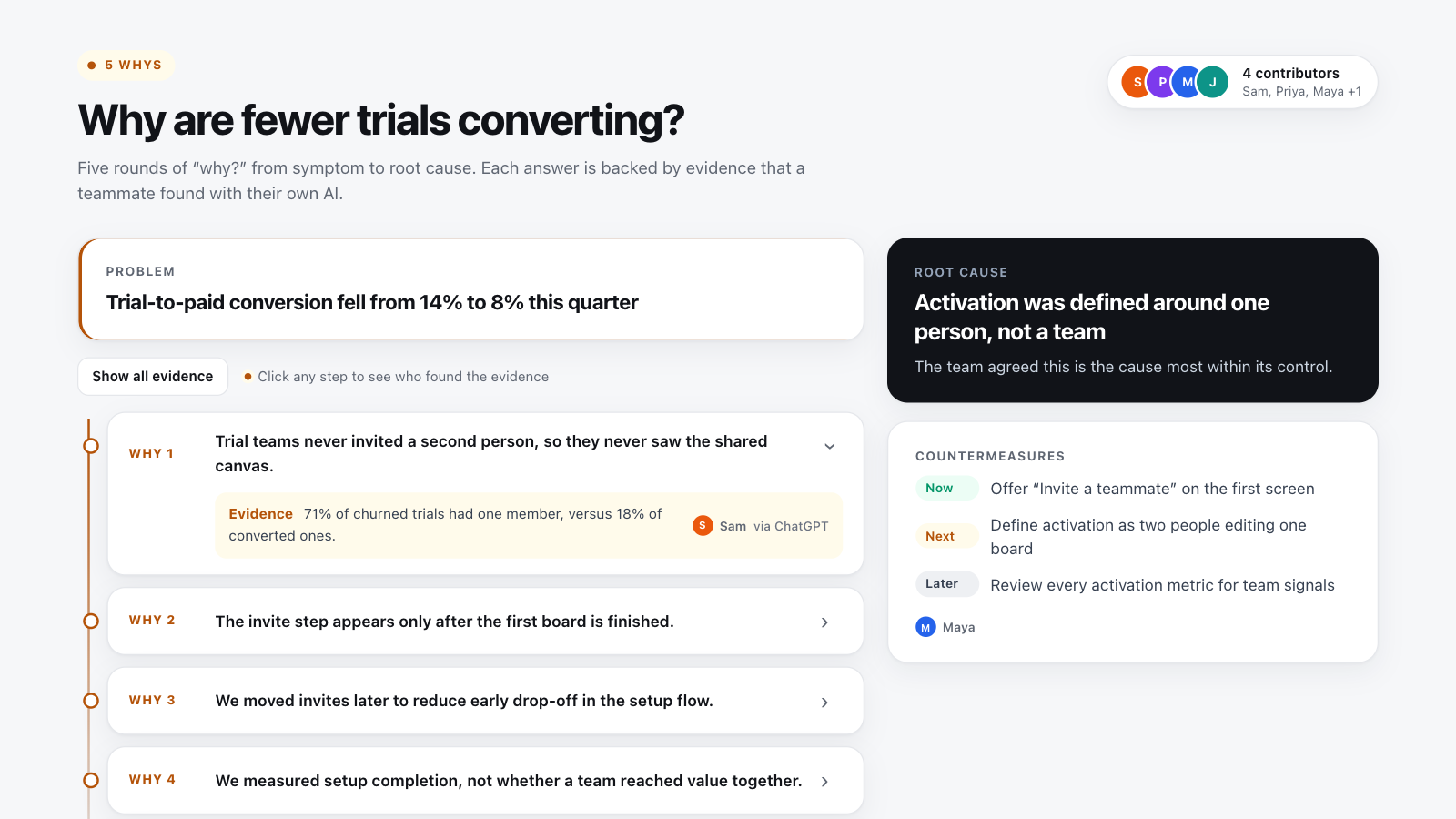
5 whys template
Ask “why?” five times, back each answer with evidence, and agree on countermeasures.
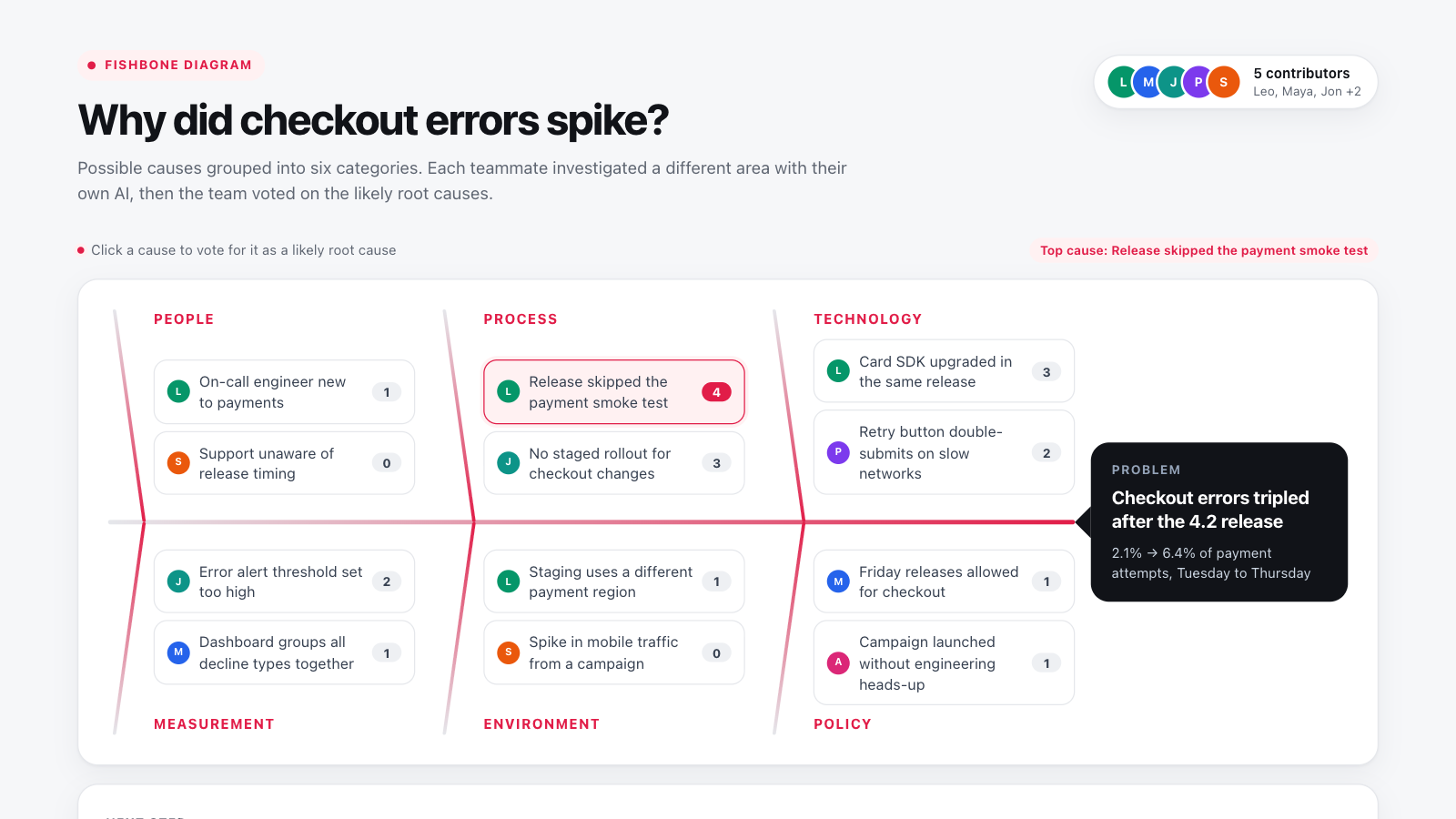
Fishbone diagram template
Map possible causes of a problem across six categories, then vote on the likely root cause.
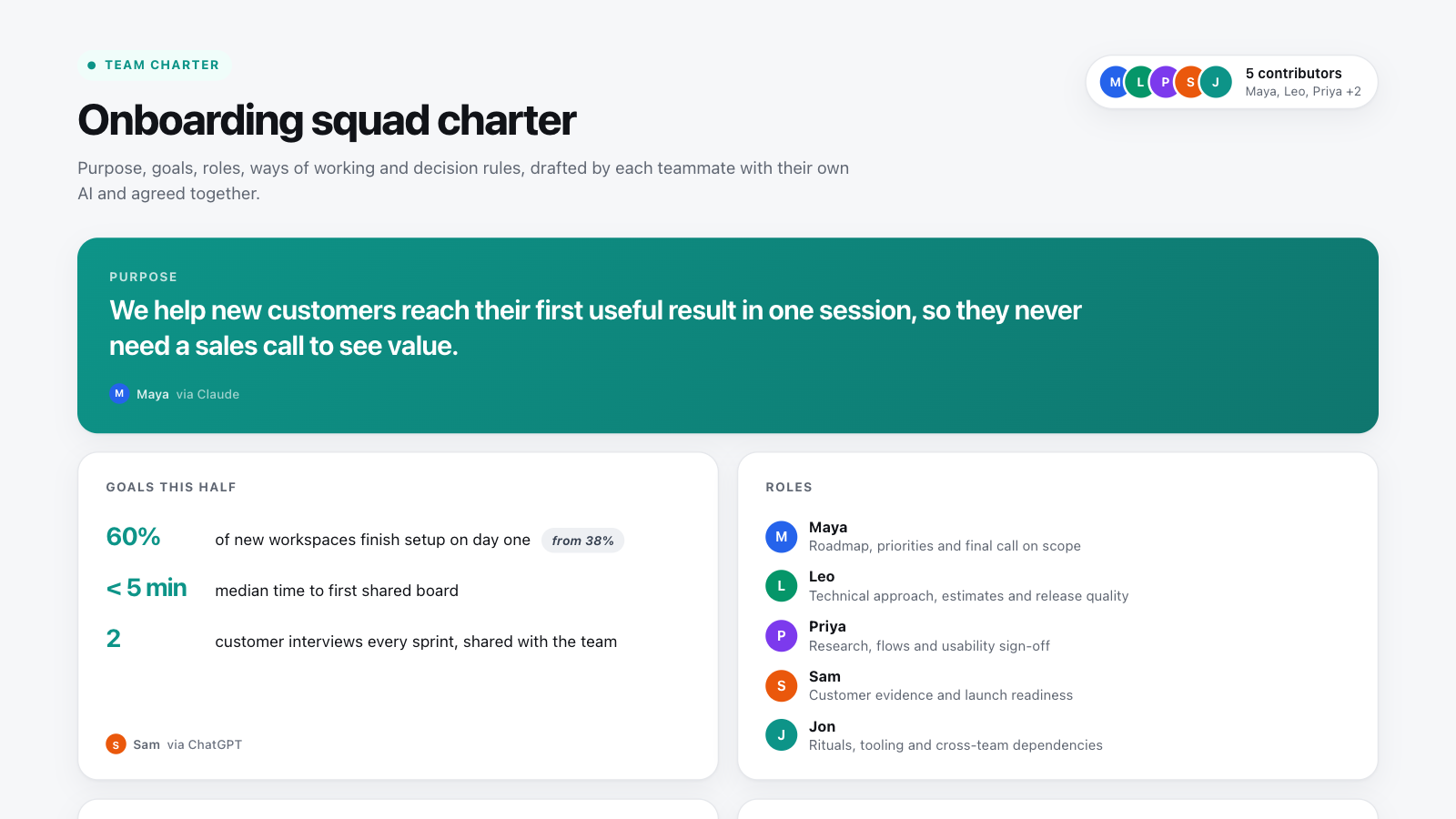
Team charter template
Agree purpose, goals, roles, ways of working and decision rules, then have everyone sign off.