FREE TEMPLATE
Free Decision Record Template for AI-Assisted Decisions
A free decision record template with a worked build-versus-buy example. Capture evidence, options, the AI claims a person checked, the decision and its review trigger.
- Free, no sign-up
- Use ChatGPT, Claude or your own AI
- Up to 10 people
Try the example
Interactive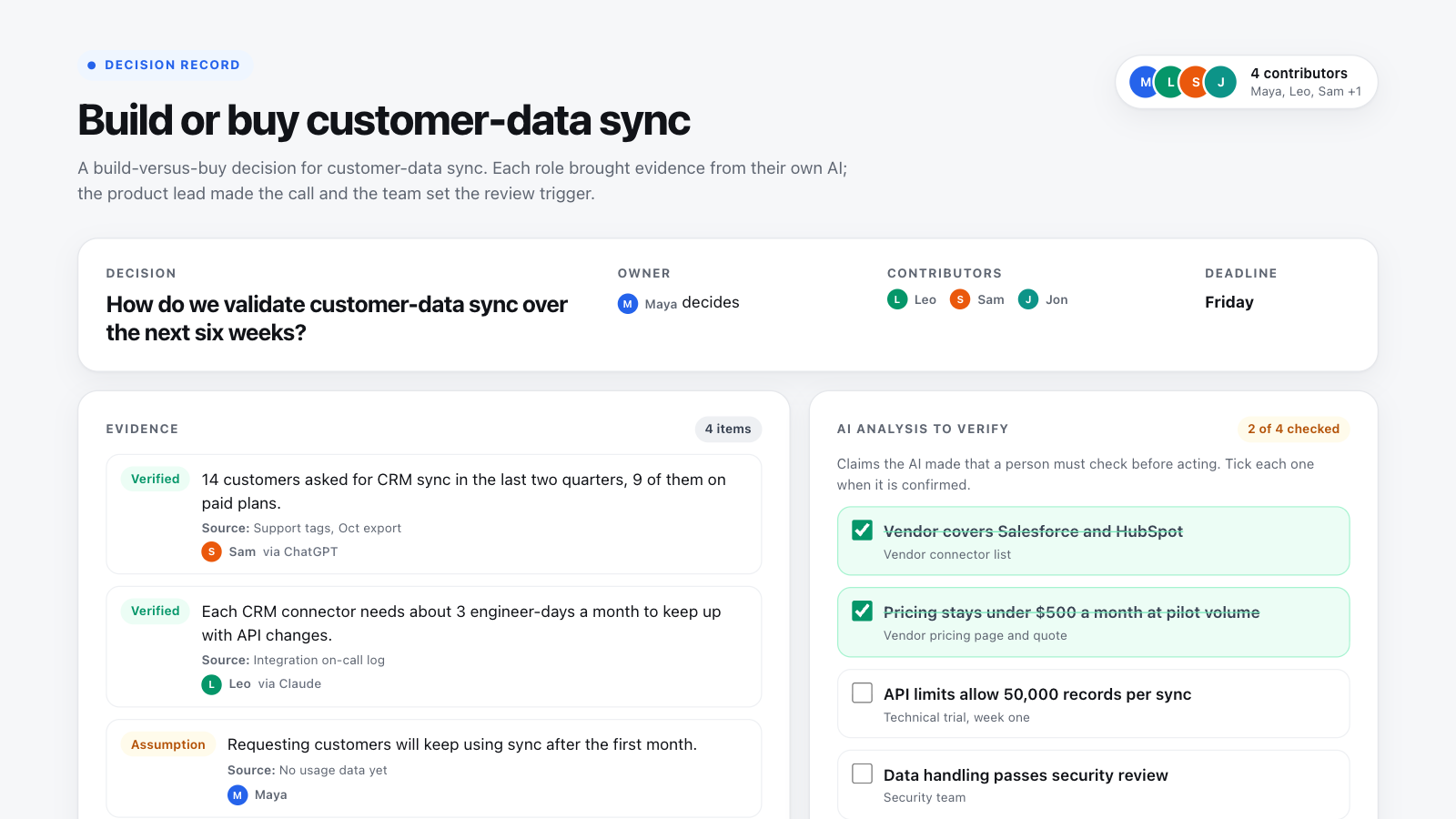
How to use this template in Boardblend
Open it as a live board
One click opens a ready-made board with every section laid out and empty. No account needed.
Connect your AI
Each person connects their own assistant to research and draft privately.
Decide together
Invite up to 10 people, agree the final version, then export it as a PDF or PNG.
A decision record captures what a team decided, on what evidence, which alternatives it rejected and what would make it revisit the choice. This template adds one section most records lack: the claims an AI made that a person must check before anyone acts on them.
The example above is a build-versus-buy decision for customer-data sync. Tick the open checks in "AI analysis to verify" to see the decision change from not ready to ready.
The decision record example, section by section
| Section | What the example shows |
|---|---|
| Decision | How to validate customer-data sync over six weeks, with an owner and a deadline |
| Evidence | Two verified facts, one assumption and one unknown, each with a source |
| AI analysis to verify | Four claims about vendor coverage, cost, limits and security, two still open |
| Options | Build, pilot a service or validate manually, each with its strongest case and evidence gap |
| Open concerns | Unproven reliability, plus an engineer's dissent kept on record |
| Next action and review | A week-one trial and explicit continue and stop conditions |
Decision record template structure
| Section | Fill in |
|---|---|
| Decision | The question, the outcome you want and the deadline |
| Owner and contributors | Who decides, who adds evidence, who must approve |
| Evidence | Each item labelled verified, assumption or unknown, with its source and date |
| AI analysis to verify | Each claim the AI made and how a person will check it |
| Options | Every realistic option, including waiting or a smaller test |
| Open concerns | Unresolved risks and dissent |
| Next action | Owner, deliverable and due date |
| Review trigger | What would make you continue, reopen or stop |
How to write a decision record with AI
- Frame the decision before asking AI anything. Write the question, outcome, owner and deadline.
- Collect evidence from every role. Each person asks their own AI to gather what their area knows and names the source. Label each item honestly.
- Let AI compare the options. Give it the evidence and criteria, ask for trade-offs and the strongest counterargument to each option.
- List the claims to verify. Every factual claim the AI makes goes in the checklist. Someone checks each one.
- The owner decides. Record the choice, the strongest rejected alternative and any dissent.
- Set the review trigger. Write the measure and date that would make you continue, reopen or stop.
Use this prompt for step 3:
Compare our options against the criteria in this record. Use only the supplied evidence and name the source for each factual claim. Mark missing information as unknown. Show the strongest counterargument to each option and the checks a person must complete. Leave the final decision for the named owner.
Decision record best practices
- Separate facts from assumptions. A labelled assumption is useful; an unlabelled one becomes a fact by accident.
- Keep the rejected alternative. It is what the team returns to if the review trigger fires.
- Record dissent by name. Apparent unanimity rewrites what the team actually knew.
- Make the review trigger measurable. "Revisit later" never happens.
For the full method, read our guide to AI-assisted decision making. To score options before you record the choice, use a decision matrix, and to stress-test the plan first, run a pre-mortem.
COMMON QUESTIONS
Frequently asked questions
What is a decision record?
A decision record is a short, structured note of what was decided, by whom, on what evidence, which alternatives were rejected and what would make the team revisit it. It lets people inspect a decision later instead of relying on memory.
What should a decision record include?
The decision question and outcome, the owner and contributors, evidence labelled as verified, assumption or unknown, the options considered, the chosen option and the strongest rejected alternative, open concerns and dissent, the next action, and a review trigger.
How is a decision record different from a decision matrix?
A decision matrix scores options against weighted criteria to help choose. A decision record documents the choice, its evidence and its review conditions. Many teams use a matrix to decide and a record to capture the result.
How do you use AI in a decision record?
Let AI compare options and draft trade-offs from evidence you supply, then list each factual claim it makes in the "AI analysis to verify" section. A person checks each claim before the owner decides. The AI never makes the final call.
What is a review trigger?
A condition, measure or date that makes the team continue, reopen or stop the decision, for example "continue if 3 of 5 pilot accounts sync weekly by week six; stop if cost passes $500 a month".
Is this the same as an architecture decision record (ADR)?
It is similar in spirit. An ADR records a technical design decision in a repository. This template works for any team decision, technical or not, and adds sections for evidence quality and AI claims that need checking.
RUN IT WITH YOUR TEAM
Start your decision record in one click.
Everyone brings their own AI, adds their thinking, and you agree the result together on one live canvas.
More free templates
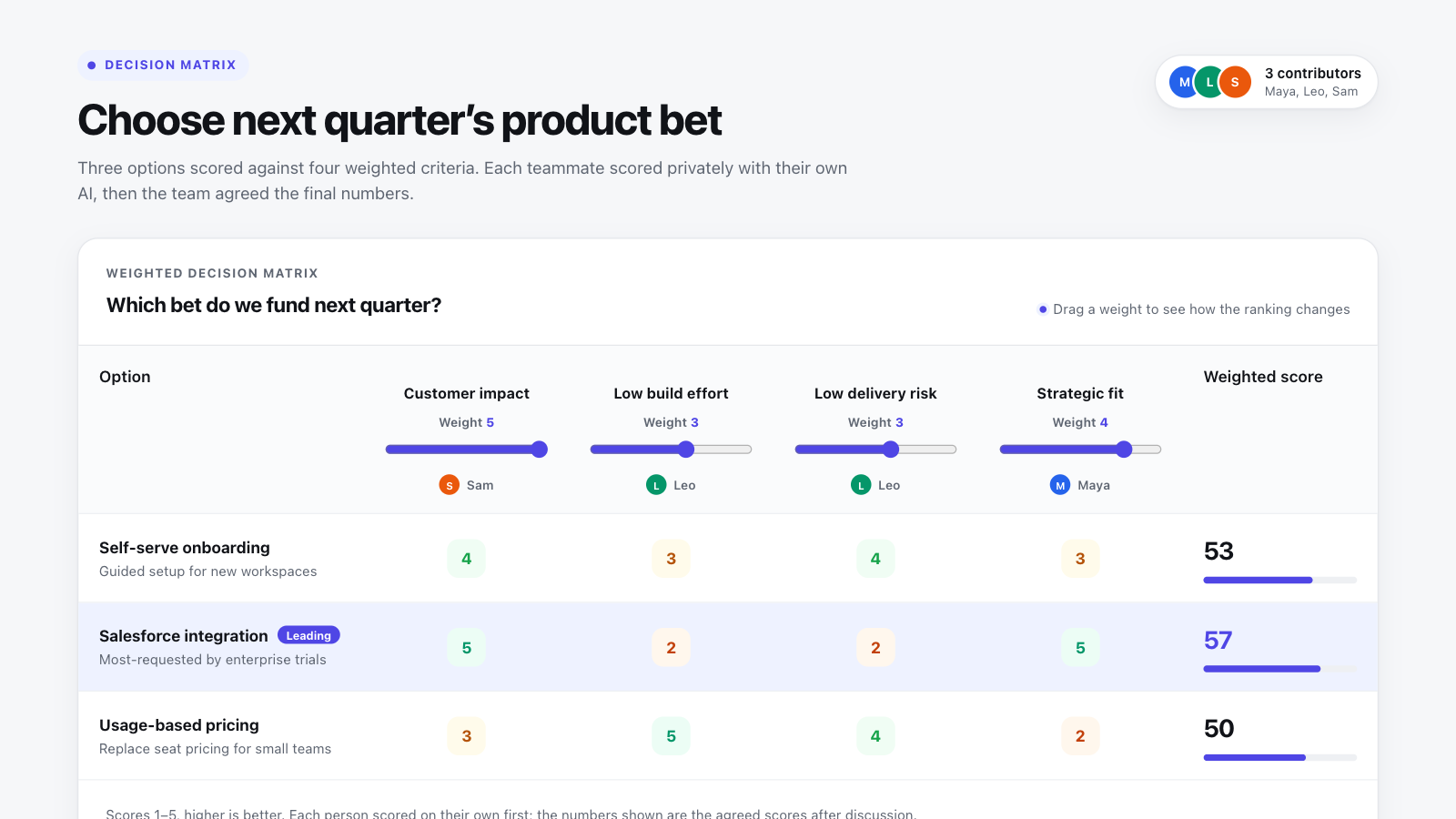
Decision matrix template
Score options against weighted criteria and see live which one wins, and how close it is.
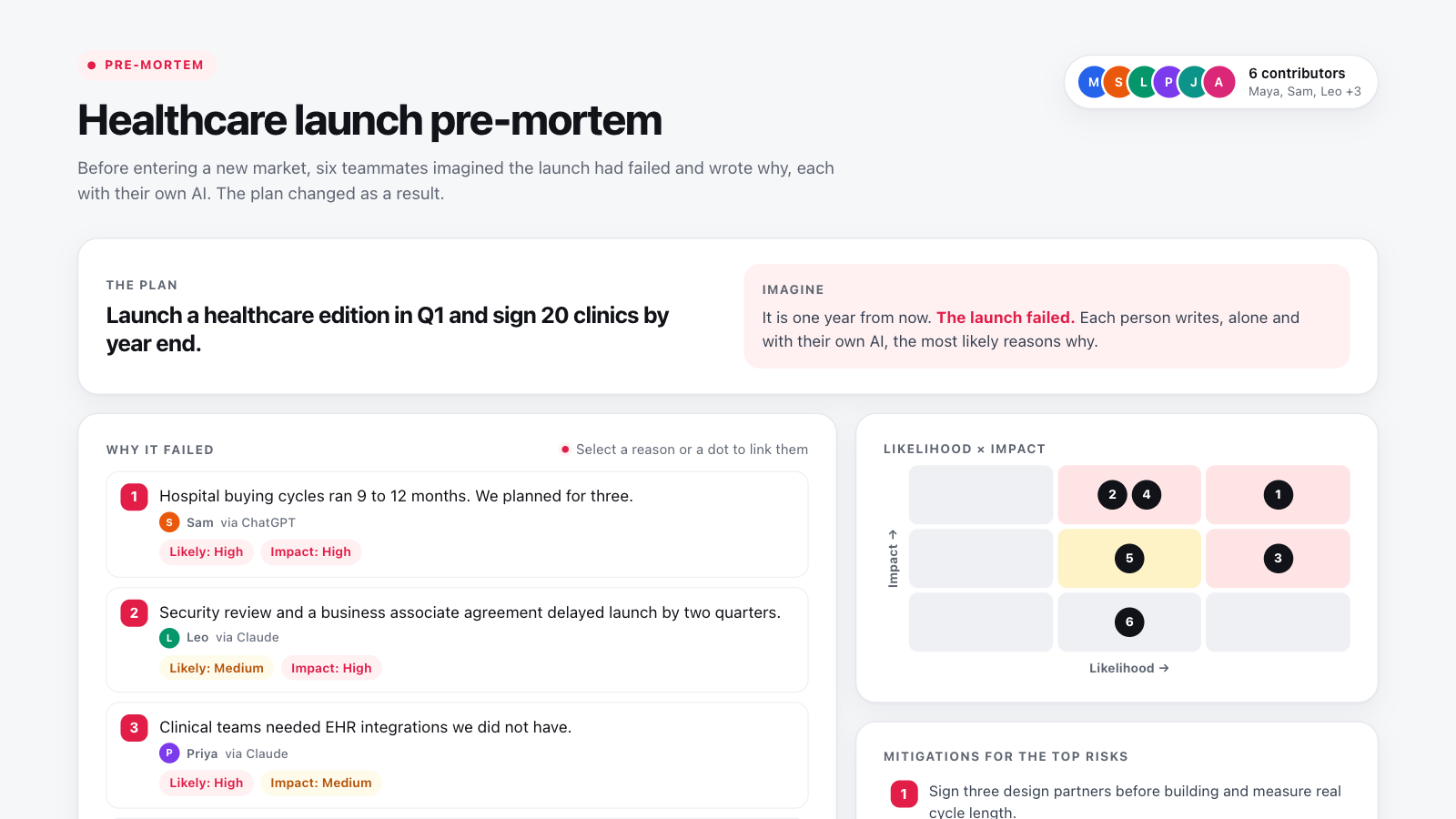
Pre-mortem template
Imagine the plan failed, have everyone write why before discussing it, then rate, mitigate and change the plan.
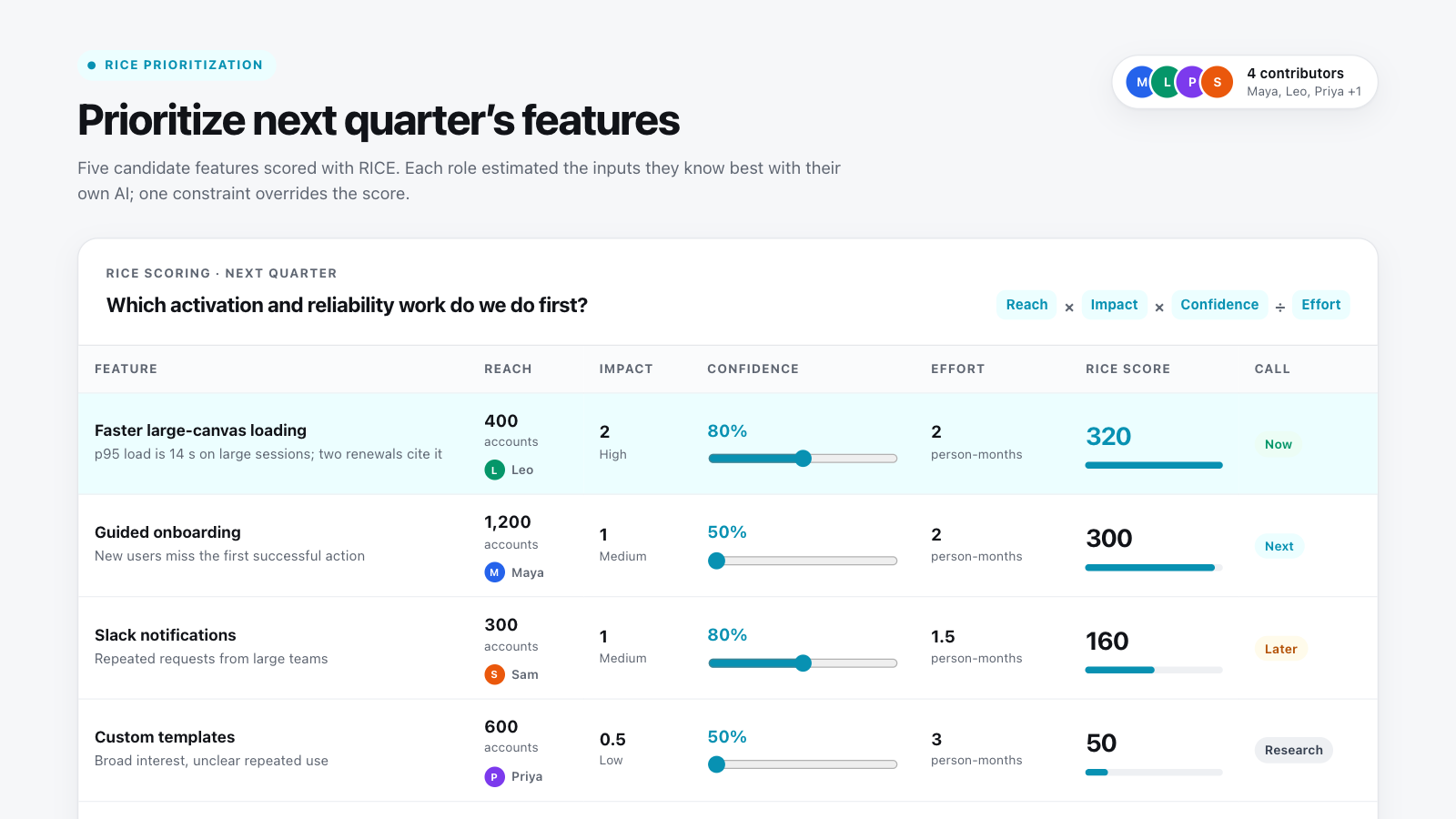
RICE prioritization template
Score features by reach, impact, confidence and effort, and see live how the order changes with your confidence.