PRODUCT COMPARISON
Boardblend vs Mural for AI-Assisted Teamwork
Compare Boardblend and Mural for AI-assisted brainstorming, workshop facilitation, shared context, parallel participation, and documented team decisions.
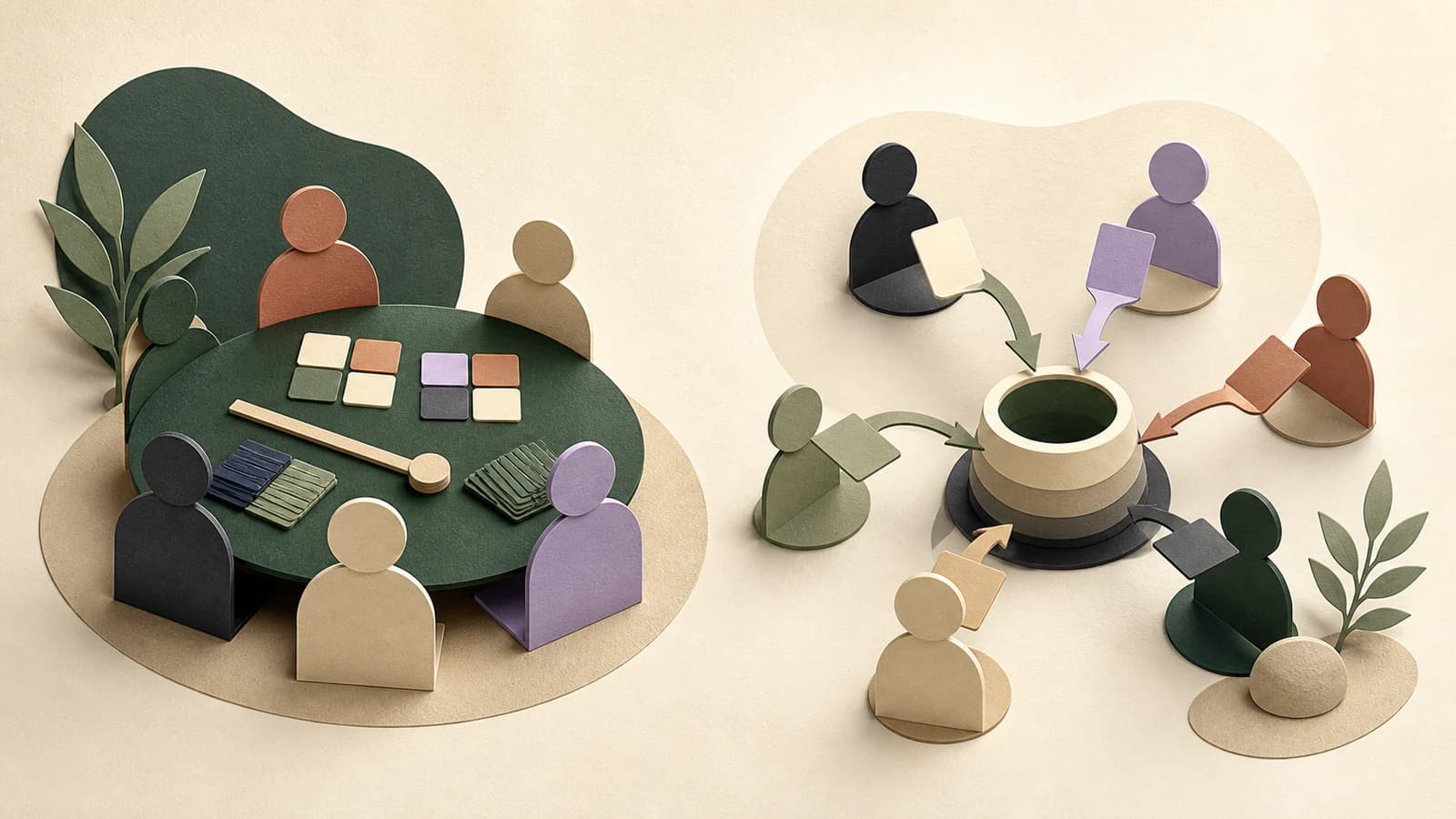
Boardblend and Mural both make team thinking visible, but they start from different strengths. Mural is the better platform for expert-facilitated visual workshops. Boardblend is the focused Mural alternative for teams whose core job is bringing several people and their AI agents into one documented decision.
Boardblend vs Mural at a glance
| Choose Boardblend when… | Choose Mural when… |
|---|---|
| Teammates bring different AI agents | A facilitator runs a structured visual method |
| Parallel reasoning and provenance matter | Private ideation, anonymous voting, and workshop control matter |
| The outcome is one explicit decision | The platform must support many workshop types |
| The team wants low setup for this workflow | Templates and facilitator enablement justify setup |
| Shared context must preserve rationale | Enterprise collaboration and Microsoft alignment matter |
The central difference
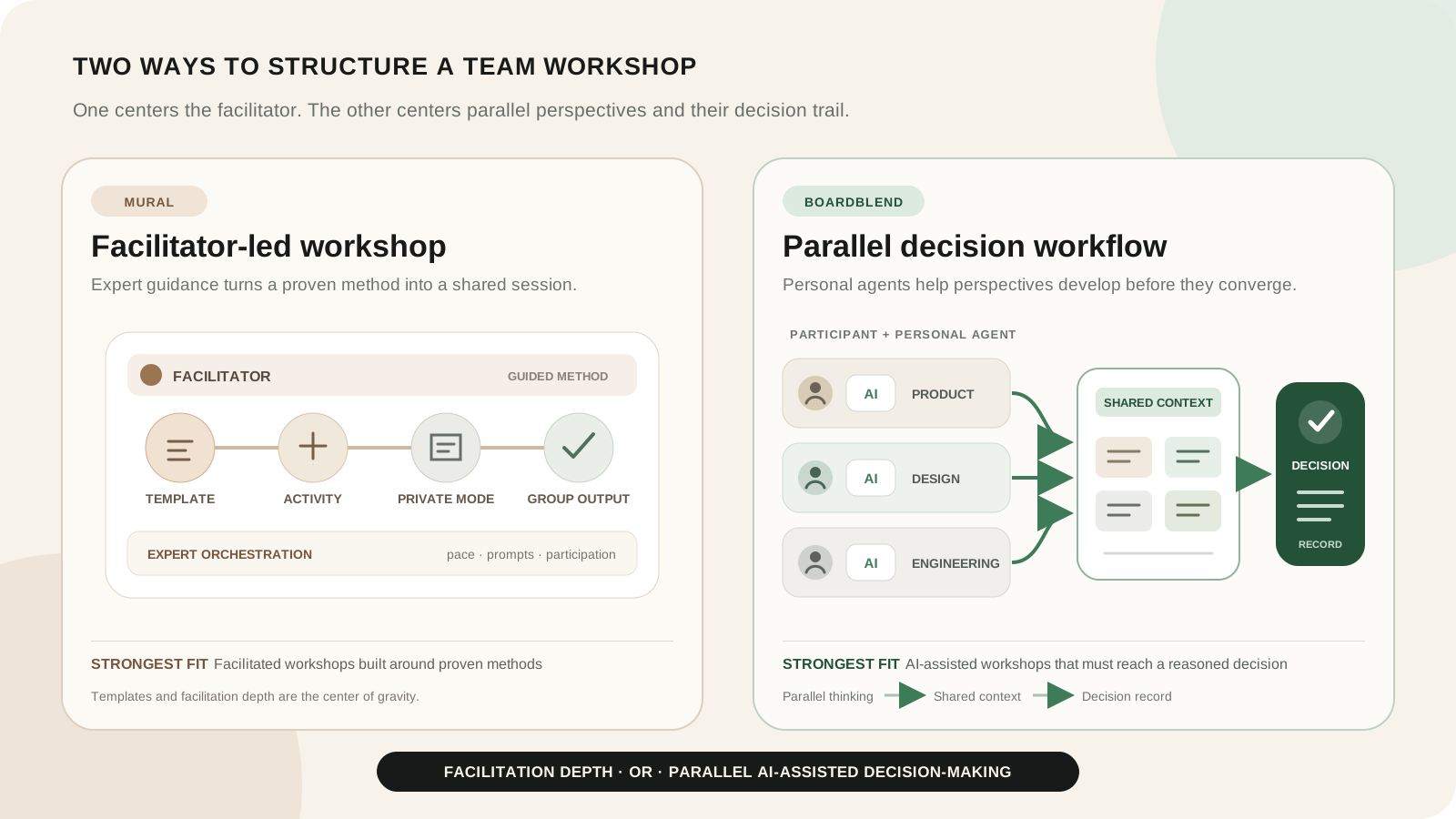
Mural is an AI-powered visual workspace built around facilitation, alignment, and repeatable methods. Its strengths extend from private contribution to guided activities, templates, enterprise rollout, and AI-assisted synthesis.
Boardblend is narrower. Participants and their preferred agents contribute in parallel, selected context becomes visible on one canvas, and the session closes with an accountable decision record.
Who should consider a Mural alternative?
Consider a focused alternative when your teams already know the workshop they need, rarely use the broader template and facilitation library, and repeatedly struggle to reconcile separate AI conversations into one decision.
Do not switch merely to obtain AI generation or clustering. Mural already provides those capabilities. Switch only when participant-specific agent connections, provenance, or a more opinionated decision close materially improve the recurring workflow.
Feature comparison
| Criterion | Boardblend | Mural |
|---|---|---|
| Primary orientation | AI-assisted team decisions | Facilitated visual collaboration |
| Shared visual canvas | Yes | Yes |
| Independent contribution | Parallel participant flow | Private mode and facilitator reveal |
| AI model | Participant-selected agents | Integrated Mural AI and Copilot connections |
| AI clustering and summaries | Agent-supported workflow | Built in |
| Facilitation controls | Focused | Deep and mature |
| Templates and methods | Focused | Extensive |
| Decision rationale | Explicit close | Facilitator-designed |
| Enterprise rollout | Emerging scope | Strong positioning and administration |
| Microsoft alignment | Not the core proposition | Strong Microsoft 365 and Copilot story |
Preparing and facilitating a workshop
Mural wins when a facilitator designs the participant journey. Its official materials describe private mode, anonymous voting, timers, summon and take-control features, hiding and revealing content, facilitator locking, and a large method and template ecosystem.
Boardblend reduces design work for one scenario: independent human and agent perspectives must enter shared context and converge. It does not attempt to match Mural’s full facilitation control surface.
Independent and parallel participation
Mural’s private mode is a strong mechanism for capturing independent ideas before discussion. A facilitator can reveal contributions together and use anonymity where hierarchy might suppress candour.
Boardblend keeps participation attributable because source and domain are often important to the decision. Product, engineering, design, or strategy contributors can each work with a preferred agent, then share the parts of their reasoning that the team should evaluate.
For a repeatable sequence, use the AI brainstorming workshop and groupthink prevention guide.
AI generation, clustering, and synthesis
Boardblend’s personal-agent model
Boardblend does not force every teammate through one built-in assistant. Each participant can connect an agent suited to their work while the team maintains shared context on the canvas. The useful distinction is participant ownership and parallelism, not simply the presence of multiple AI outputs.
Mural AI and Microsoft 365 Copilot
Mural’s official AI page describes idea generation, mind maps, clustering, summaries, classification, and conversational assistance. Its 2026 release notes describe guided actions for ideas, diagrams, summaries, and rewrites. Mural also highlights Microsoft 365 Copilot connections.
Mural’s integrated AI is a strength for facilitators who want predictable actions inside the workshop. Official sources reviewed did not describe a different personal agent per participant working simultaneously over one shared decision context.
Visual canvas flexibility
Mural is the more flexible and mature general canvas. It supports a broad visual toolkit and varied workshop outcomes.
Boardblend’s canvas is intentionally decision-oriented. Choose the constraint when it helps the team see options, evidence, assumptions, risks, criteria, and the final rationale without designing that structure from scratch.
Shared context and evidence
Both products can collect shared context. The difference is emphasis. Mural organizes workshop content and AI actions in a visual workspace. Boardblend foregrounds how each participant and agent contributed to the reasoning that the team is about to combine.
For consequential choices, provenance matters because an AI summary can otherwise hide unsupported claims or minority views.
Convergence and decision documentation
Mural can cluster, summarize, vote, prioritize, and turn workshop content into action. A skilled facilitator can create an excellent decision record.
Boardblend makes the decision record the default destination: selected option, decisive evidence, rejected alternative, unresolved concern, owner, next action, and review trigger. This is its clearest advantage when teams currently leave visual workshops with themes but no accountable close.
Enterprise administration, templates, and integrations
Mural is stronger for enterprise deployment, professional facilitation, and broad method enablement. It also offers a mature Microsoft-oriented collaboration story and connections to work systems.
Boardblend is a better fit only when the focused workflow outweighs those advantages. An enterprise evaluating both should review security, data handling, administration, retention, accessibility, and procurement requirements directly.
Pricing and access
Mural’s public prices on the review date were:
| Plan | Public price | Relevant scope |
|---|---|---|
| Free | $0 | Three editable murals and unlimited members |
| Team+ | $9.99/member/month annually or $12 monthly | Mural AI and team collaboration |
| Business | $17.99/member/month annually | Expanded administration and business capabilities |
| Enterprise | Contact sales | Enterprise controls and support |
Mural AI is listed for Team+, Business, and Enterprise. Mural describes AI use as unlimited subject to fair-use limits. Compare the current price for actual facilitators, members, guests, AI usage, and administration with Boardblend’s current plans.
Worked comparison: a strategy workshop
A leadership team must choose whether to enter a new market, deepen one customer segment, or expand the product horizontally.
In Mural: a facilitator prepares a method, uses private mode for initial hypotheses, reveals and clusters evidence, guides breakout work, runs a prioritization activity, and documents actions. The strength is a controlled, engaging workshop journey.
In Boardblend: strategy, product, finance, and engineering contribute with separate agents, connect evidence to options, expose conflicting assumptions, and close with one decision and validation plan. The strength is the traceable relationship between differentiated reasoning and the shared conclusion.
Which product fits your workflow?
Choose Mural for professional facilitation, visual methods, private and anonymous activities, broad templates, and enterprise workshop enablement.
Choose Boardblend when the recurring need is narrower: several teammates and personal agents should think in parallel, share evidence, and preserve a decision rationale with less facilitator setup.
Use both when Mural remains the organization’s general workshop platform and Boardblend is reserved for selected AI-assisted decisions. In that case, name one authoritative decision record to avoid duplicated context.
COMMON QUESTIONS
Frequently asked questions
Is Boardblend a complete Mural replacement?
No. Mural offers broader facilitation controls, templates, visual methods, enterprise administration, and Microsoft ecosystem connections. Boardblend is a focused alternative for participant-owned agents and traceable team decisions.
Which product is better for professional facilitators?
Mural is generally stronger for professional facilitators because of private mode, anonymous voting, timer, summon and control features, hide and reveal, templates, and established workshop methods.
Does Mural have AI brainstorming features?
Yes. As reviewed July 26, 2026, Mural AI can generate and expand ideas, create mind maps, cluster content, summarize, classify sentiment, and support guided AI workflows on paid plans.
Which product supports teammate-owned AI agents?
Boardblend is designed so each participant can connect a preferred AI agent to the shared brainstorm. Mural documents one integrated Mural AI experience and Microsoft 365 Copilot connections rather than participant-specific parallel agents.
Which product is better for documenting decisions?
Boardblend is more opinionated about preserving source perspectives, trade-offs, rationale, dissent, owner, and next action. Mural can document decisions well when the facilitator builds that structure into the workshop.
PUT IT INTO PRACTICE
Turn everyone’s thinking into one clear next step.
See how teams use Boardblend, or open a shared canvas and start now.